Upgrade University

Our learning platform, built around your team's own work.

Upgrade University keeps AI learning going between workshops. People climb levels, practise skills on the work on their desk, learn in teams of three and prove each skill with something they made. Managers and coaches see how every team is moving.
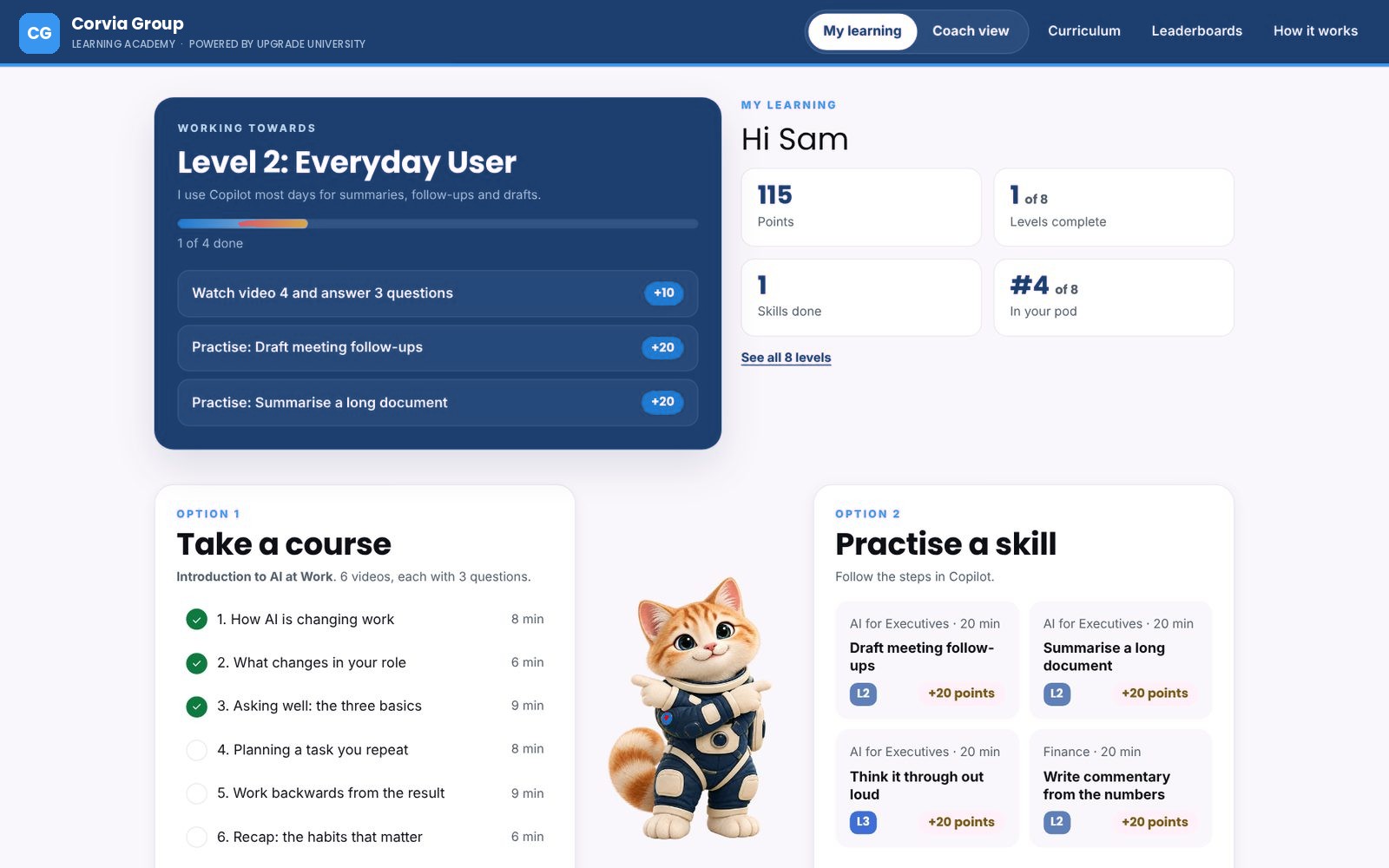

My learning: the level a learner is working towards, the next tasks with points, a course and skills to practise
LevelsFrom first steps to building agents
SkillsGrouped in pillars, practised on real work
PodsTeams of three, with friendly leaderboards
Coach viewFrom the whole company down to one pod
What Upgrade University is

It's our gamified learning platform for teams. Every build is set up for one organisation: your competency framework, your scoring rubric, your functions and the AI tools your people are cleared to use, whether that's Copilot or something else.

People learn on their own schedule, so it works across offices and time zones. It sits alongside our workshops and AI champion programmes, so what people try in the room carries on the week after.

Learning on real work

Practise on the work people do every week.

Each mission starts with a task someone recognises from their own week: a month-end commentary, a meeting follow-up, a briefing to check before it goes out. People open the files, work through the steps in their own AI tool and keep what they made.

  • Scenarios written for each function and level
  • Practice files, or their own work where policy allows
  • Each step says which tool to use for which data
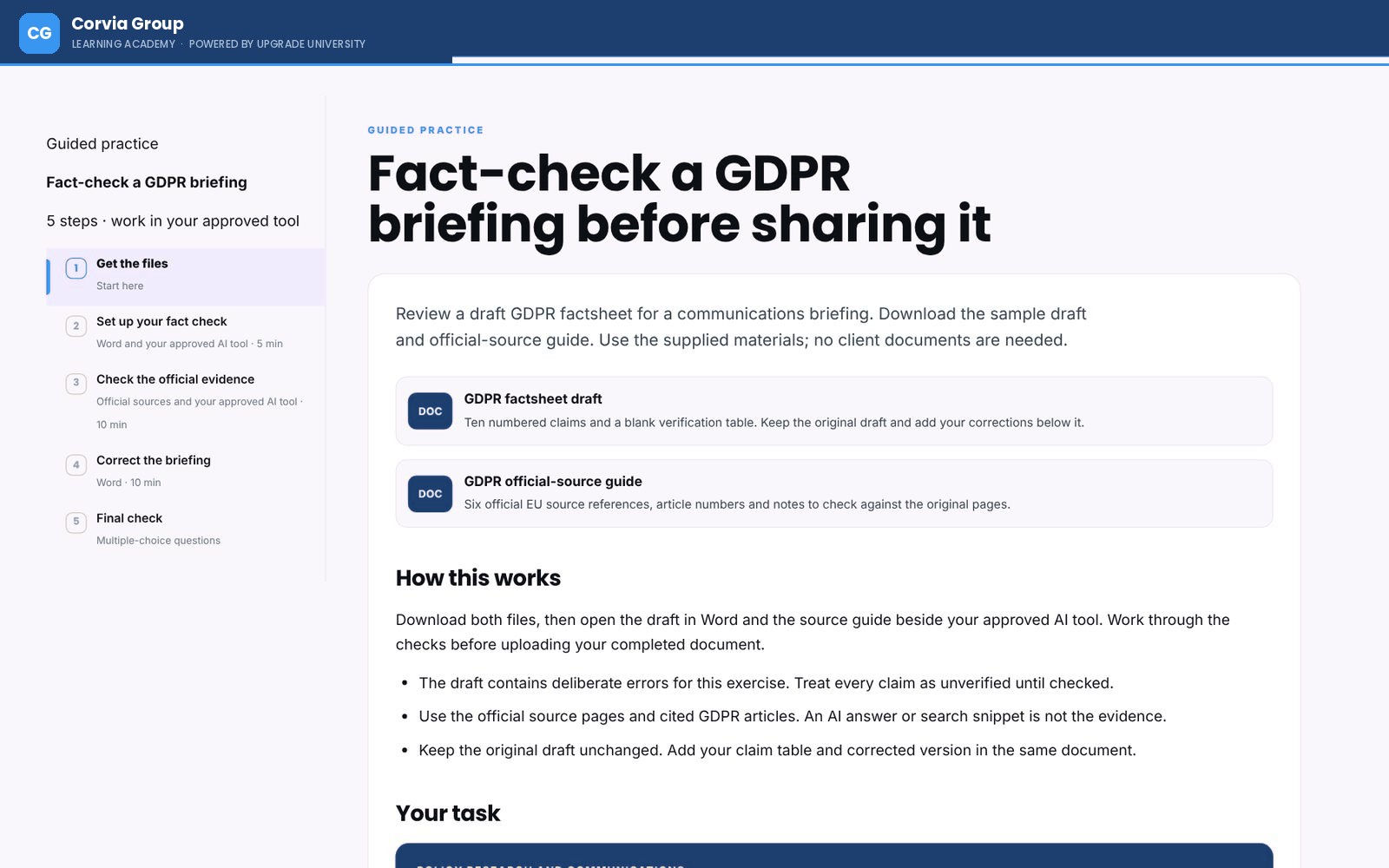
A guided practice exercise: fact-check a briefing before sharing it, with the files to download and five steps
A guided exercise with the files, the steps and the tool to use.
Levels

A clear climb, from first steps to building agents.

Everyone can see where they are and what the next level asks of them. Early levels cover using AI safely and checking its answers. Later ones cover reusable methods, AI agents for a team, and workflows with human checks built in. Each level lists the few things that complete it.

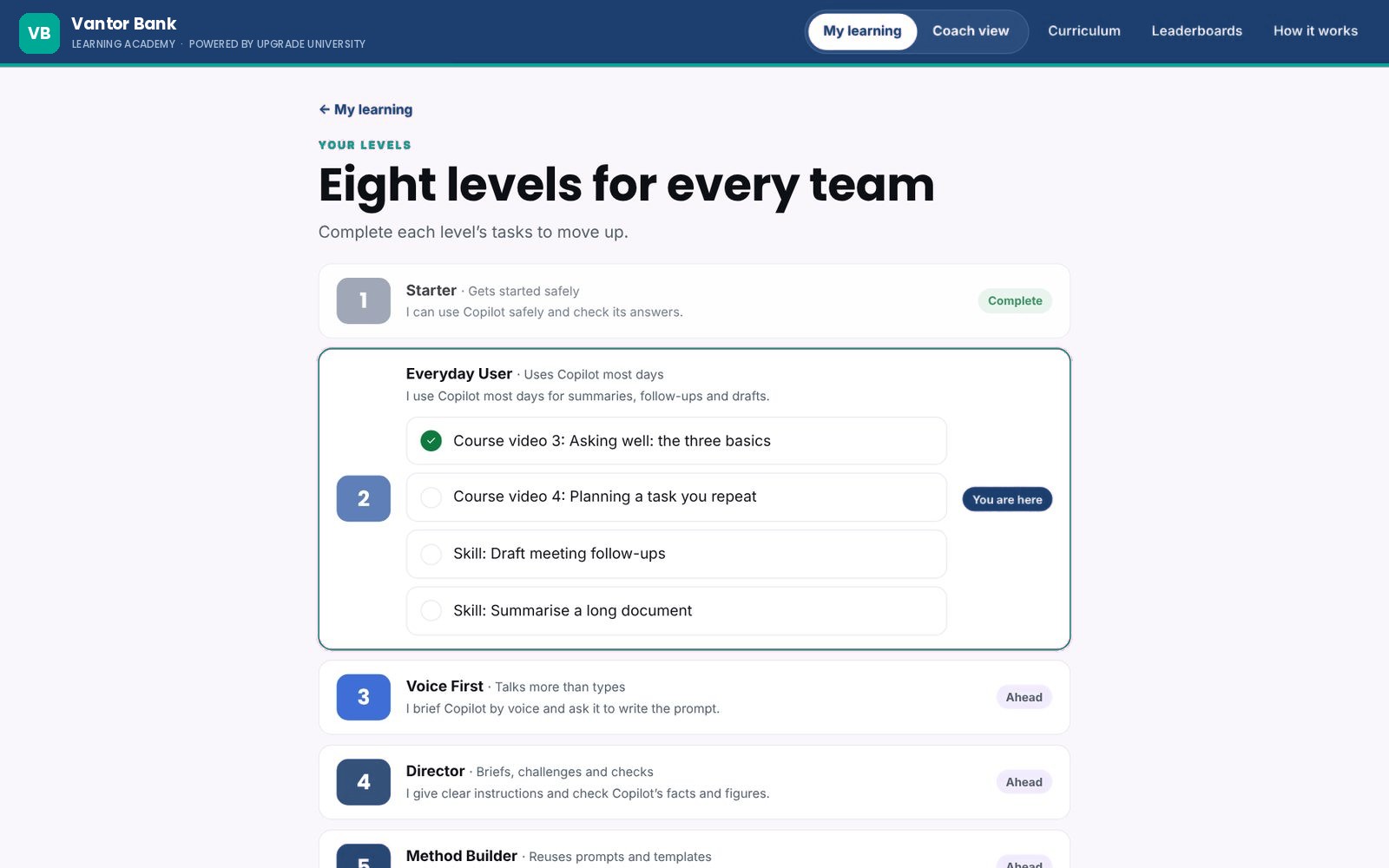
The levels screen with the tasks that complete the current level
The levels, and the tasks that complete the one you're on.
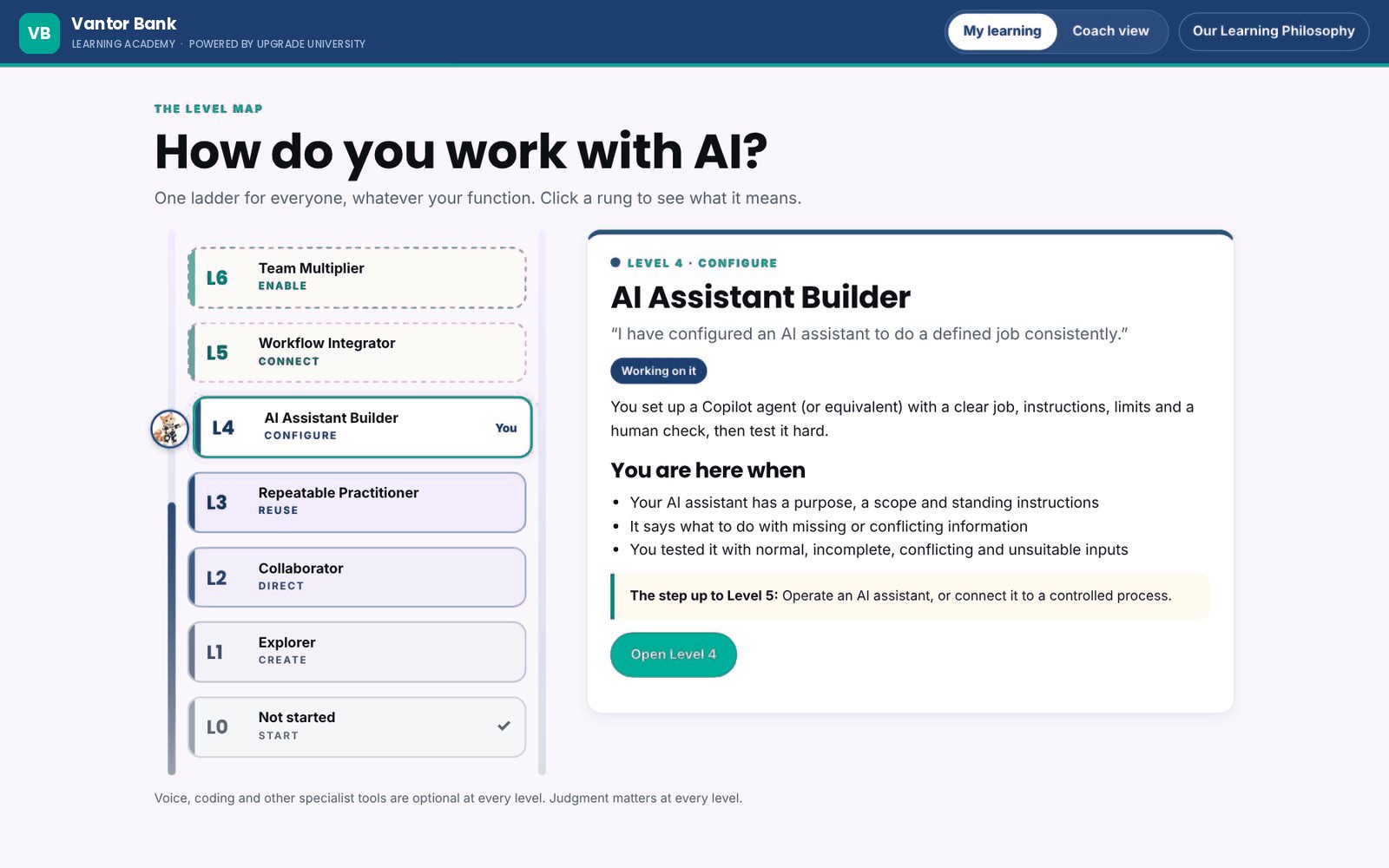
A level map ladder with a description of each rung and the step up
The level map: what each rung means and the step up.
Skills in pillars

Skills grouped the way your business works.

Skills sit in pillars such as finance, people and HR, sales, marketing, operations and leadership. Each skill is a short set of steps with prompts to copy, one action per step, and a quick check at the end. People can open the steps in a side panel next to their AI tool and work through them as they go.

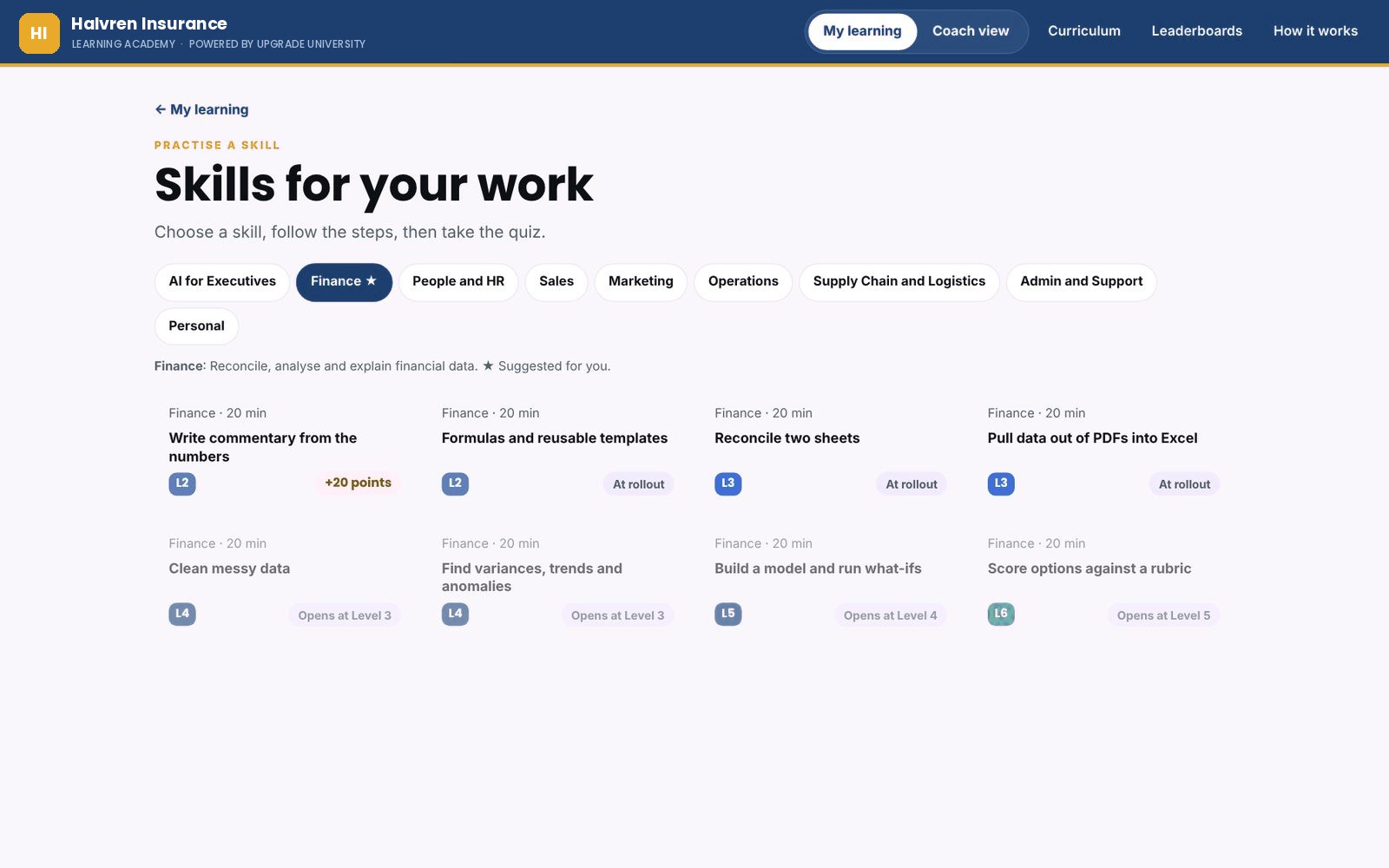
Skills for your work, filtered by pillar, each with its level and points
Skills by pillar, each with its level and points.
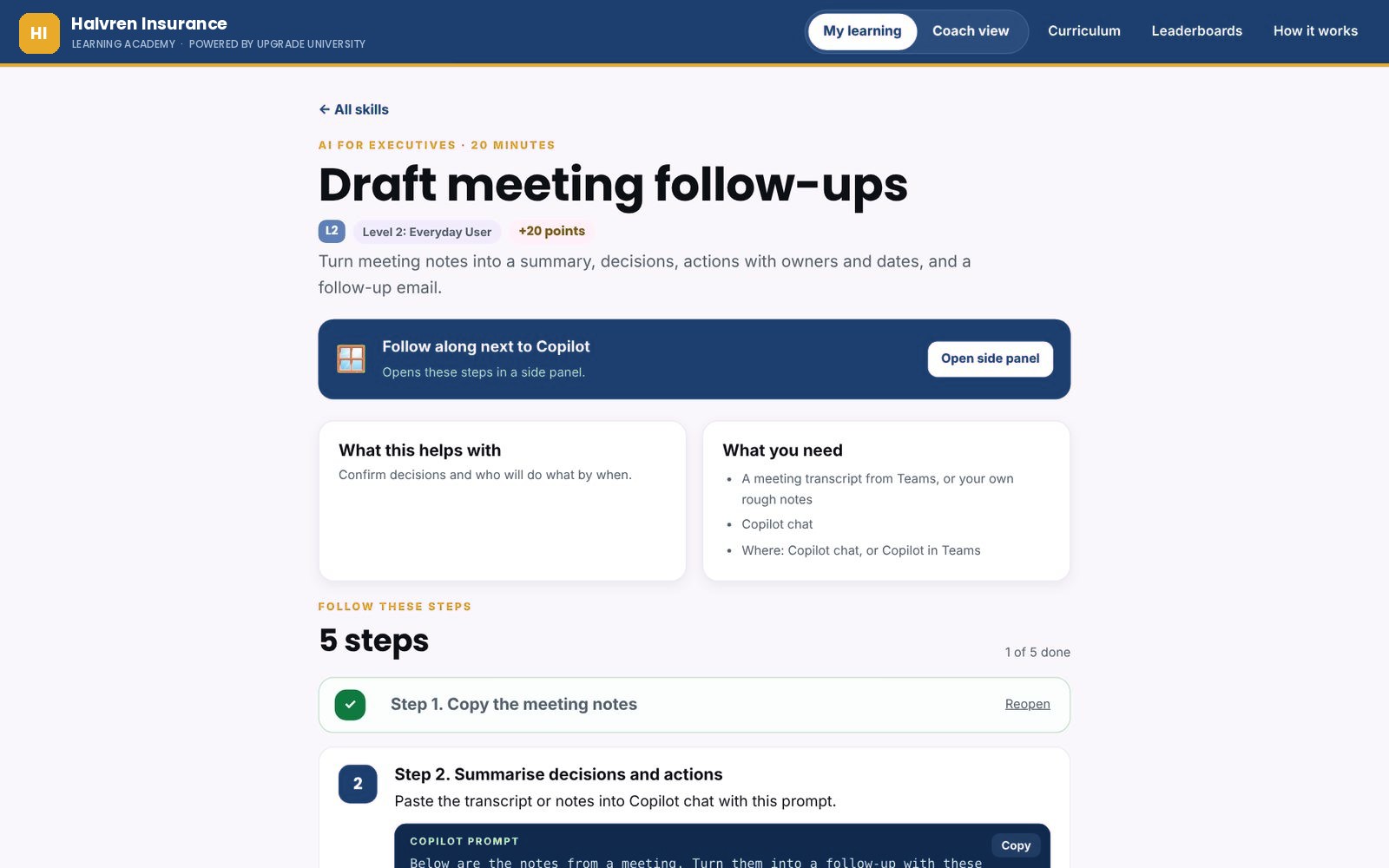
One skill, Draft meeting follow-ups, with numbered steps and a prompt to copy
One skill: steps, prompts to copy and a side panel.
Short courses

Short videos, with questions under each one.

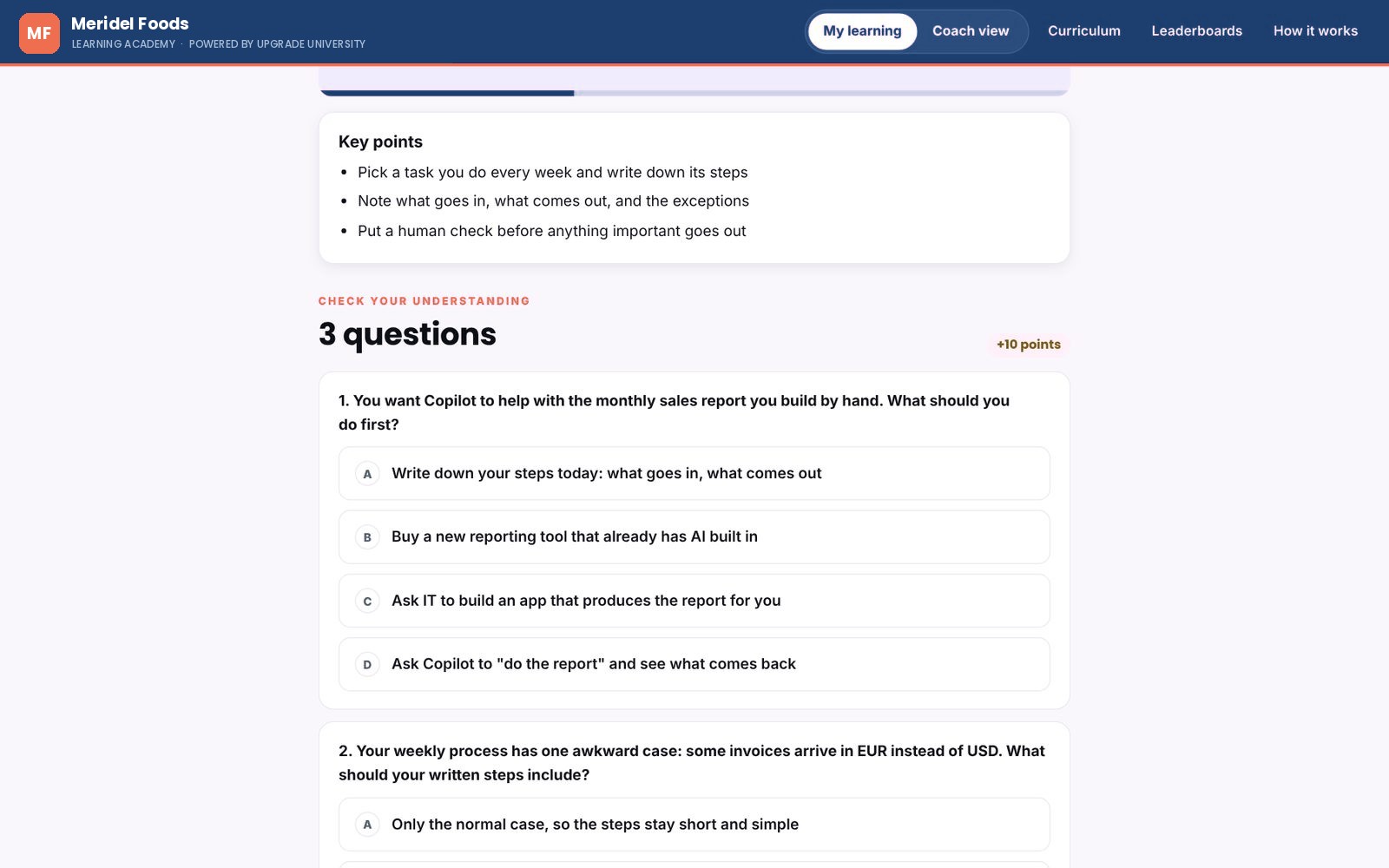
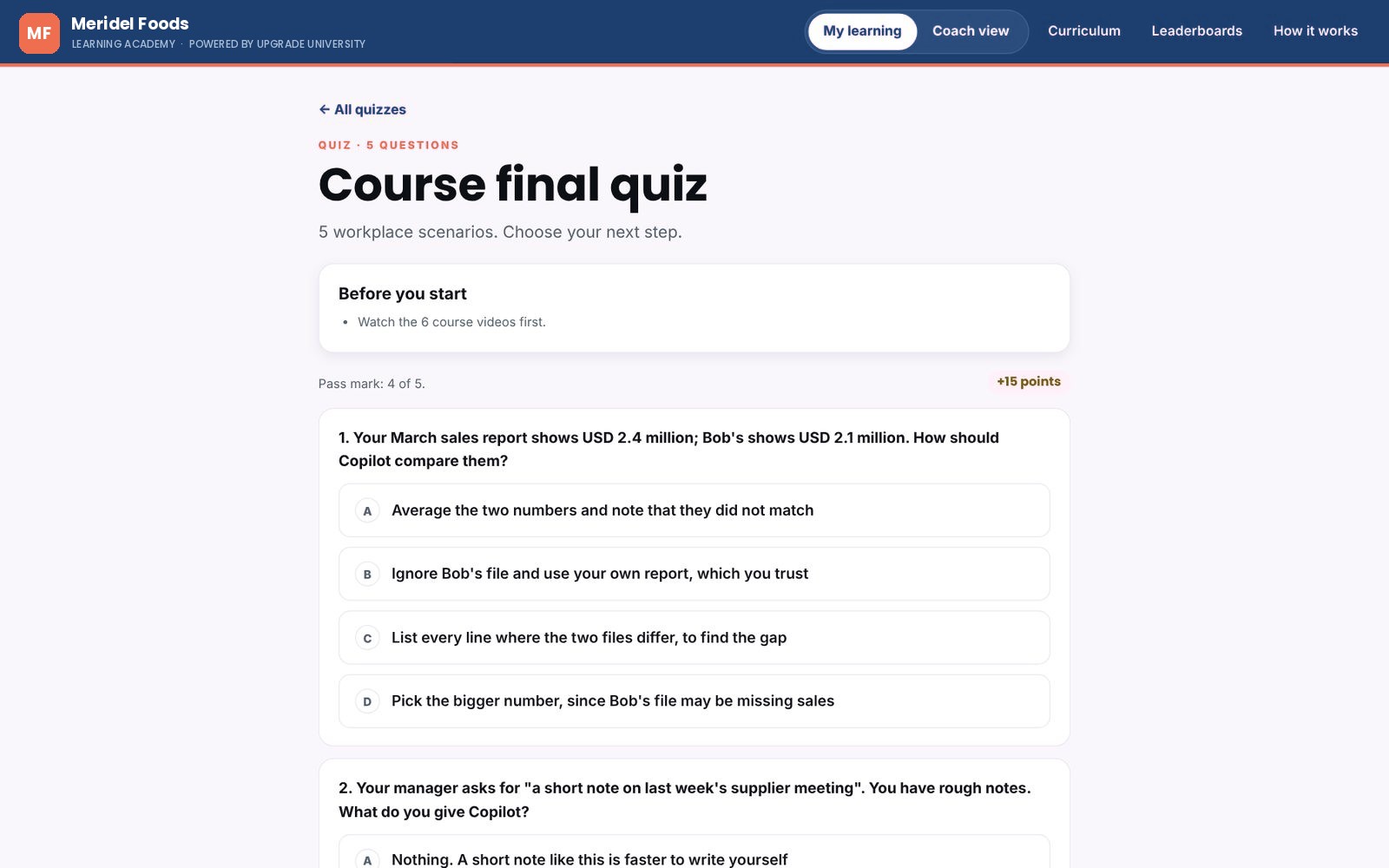
Courses are short films with the key points written out underneath. Three questions follow each video, set in everyday work situations, so people check they understood before moving on. Quizzes on your AI rules and a course final round it off, and people can retake them as often as they like.

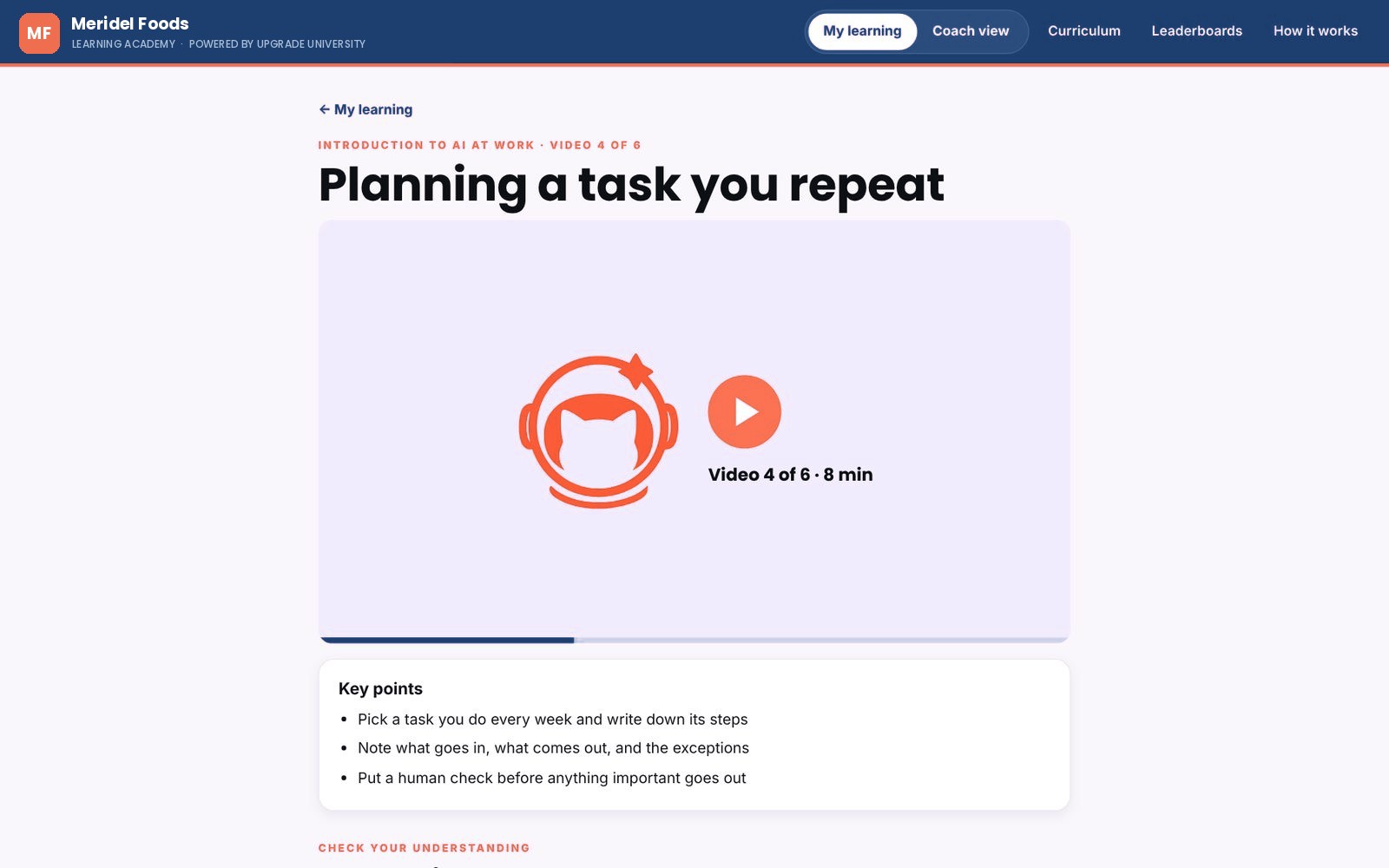
A course video page with the key points
A course video and its key points.
Three questions under a course video
Three questions under each video.
A course final quiz written as workplace scenarios
A quiz written as workplace scenarios.
Proof of work

Missions and capstones that show the skill.

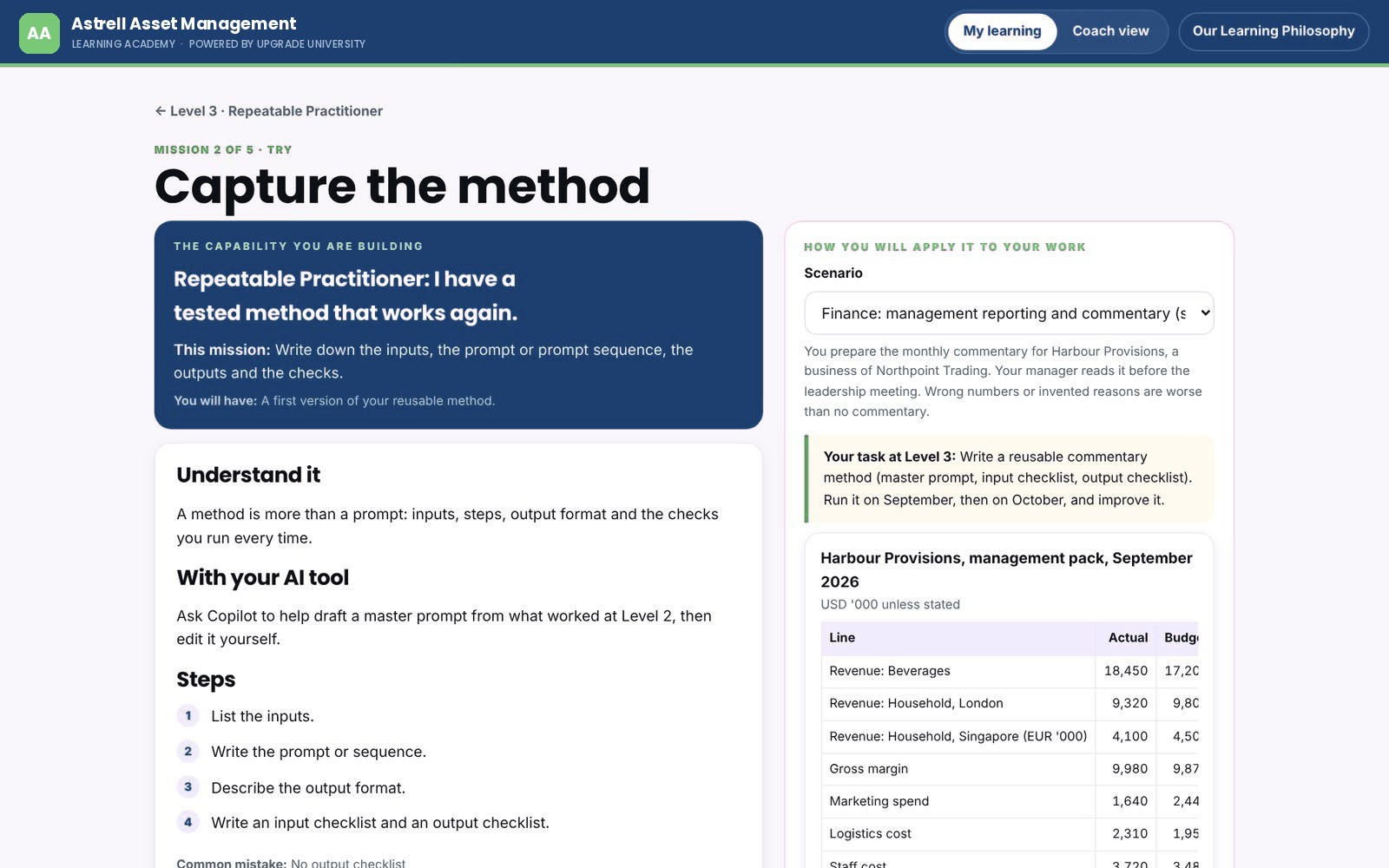
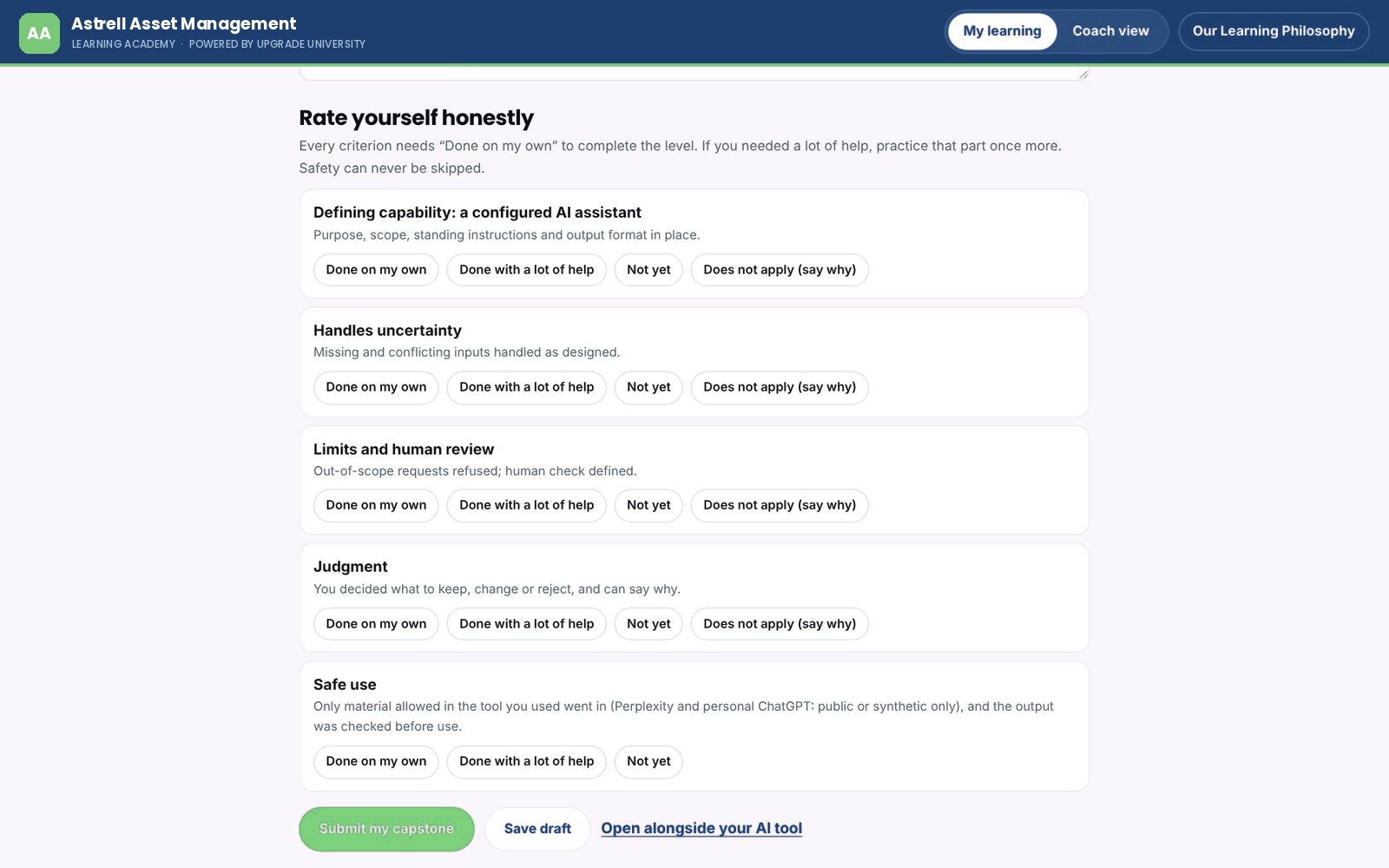
Practice missions take people through understanding, trying and applying a skill, each finished with a short self-check. A level ends with a capstone: the piece of work itself, the checks it has to pass, a short reflection and an honest self-review against the rubric. What people make goes into their own portfolio.

  • Choose a course or practice missions to get ready
  • Safety criteria can never be skipped
  • Gaps come back as a short list of what's missing
A practice mission with the capability, steps, the scenario and a sample data pack
A practice mission on a made-up data pack.
A capstone self-review against each rubric criterion
The capstone self-review, criterion by criterion.
Teams of three

Learning in pods, with a bit of friendly competition.

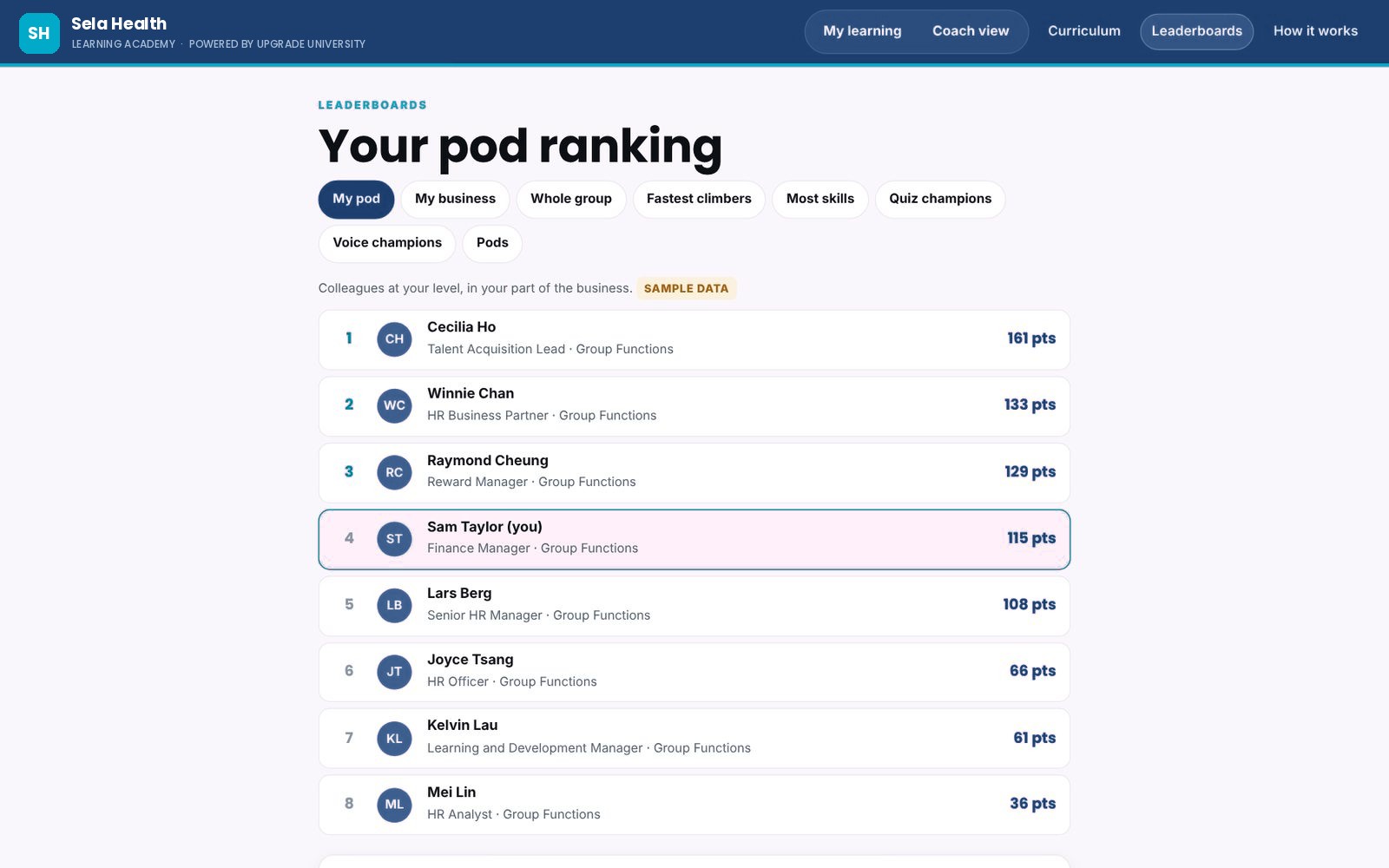
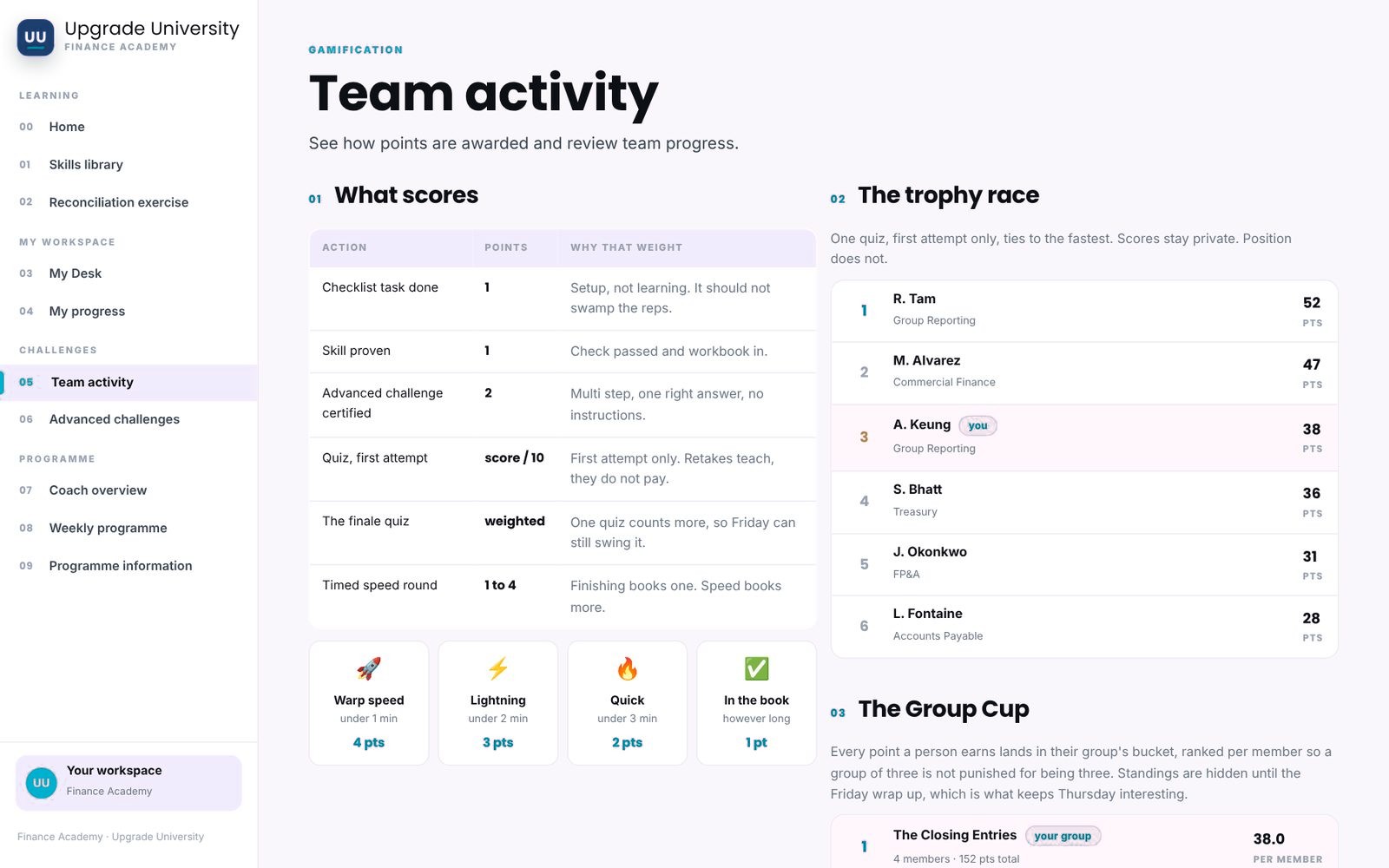
People learn in small teams of three, so nobody is on their own and everyone has someone to compare notes with. Points come from videos watched, skills proven and quizzes passed. Leaderboards show your pod, your business and the whole company, plus fastest climbers and quiz champions. Group cups rank teams per member, so a small team is never at a disadvantage.

Leaderboards with tabs for my pod, my business, whole group, fastest climbers and more
Leaderboards, from your pod to the whole company.
How points are scored, a trophy race and a group cup
What scores, the trophy race and the group cup.
Starting assessment

An adaptive start, so nobody repeats what they already do.

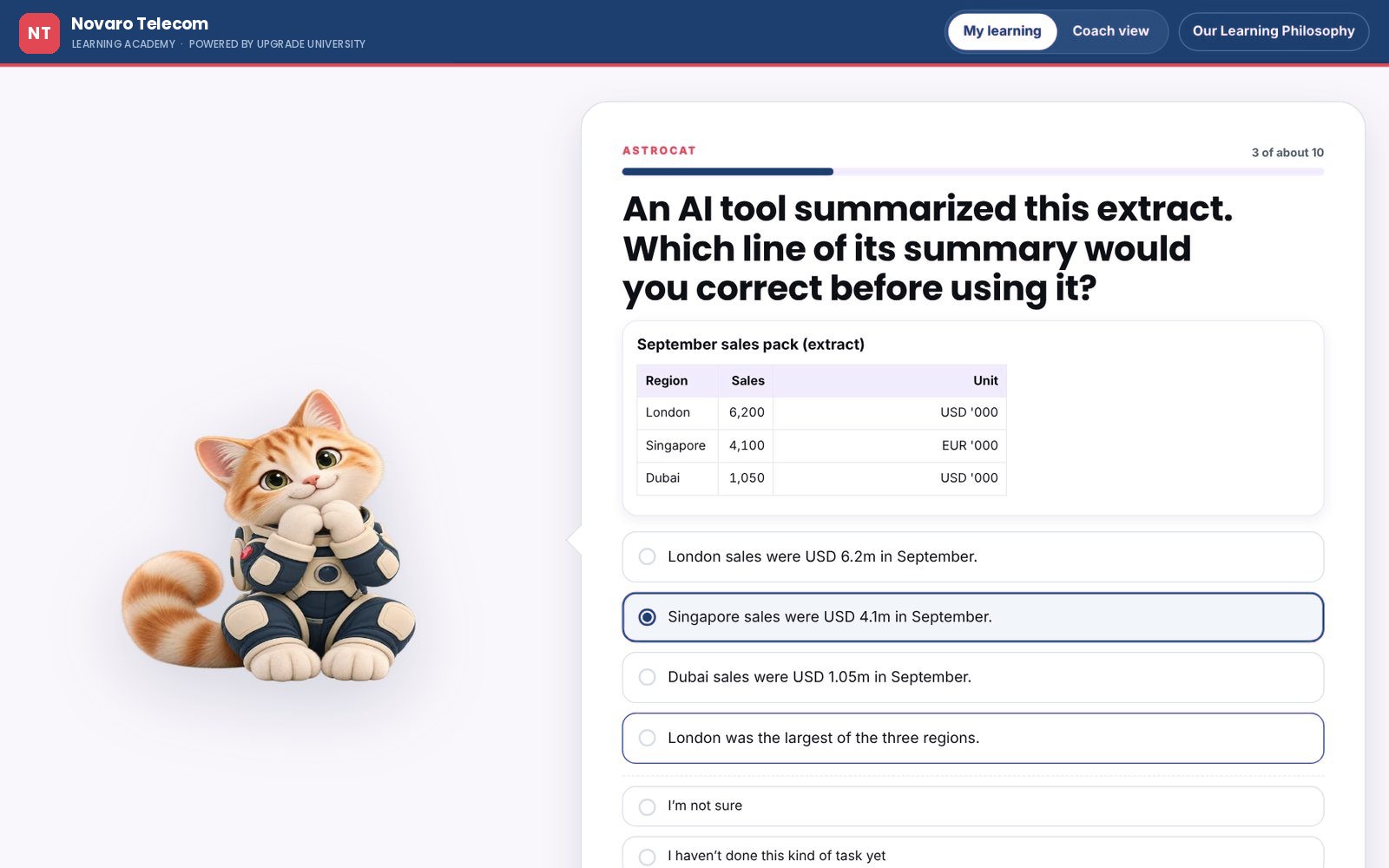
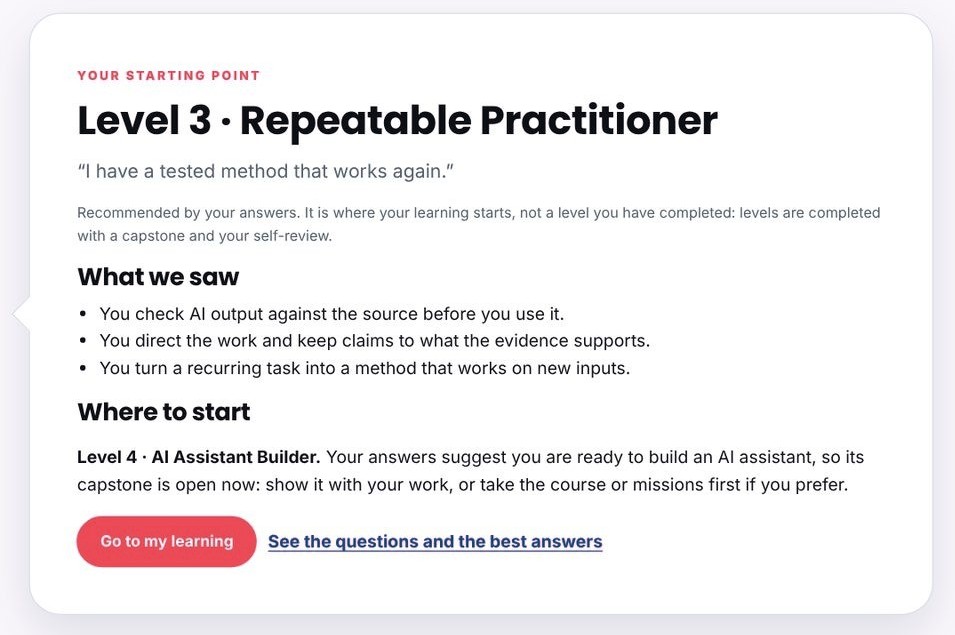
A short assessment, about five minutes, asks what someone would do in a real situation. The next question depends on the last answer. At the end, AstroCat recommends a starting level, explains what it saw and shows the questions with the best answers. It's a recommendation for where to start, and levels are still completed through the work.

An assessment question with a short data extract and answer options
A question built on a short extract.
The recommended starting point with what we saw and where to start
The recommended starting point.
Coach and manager view

See the whole company, then zoom into one pod.

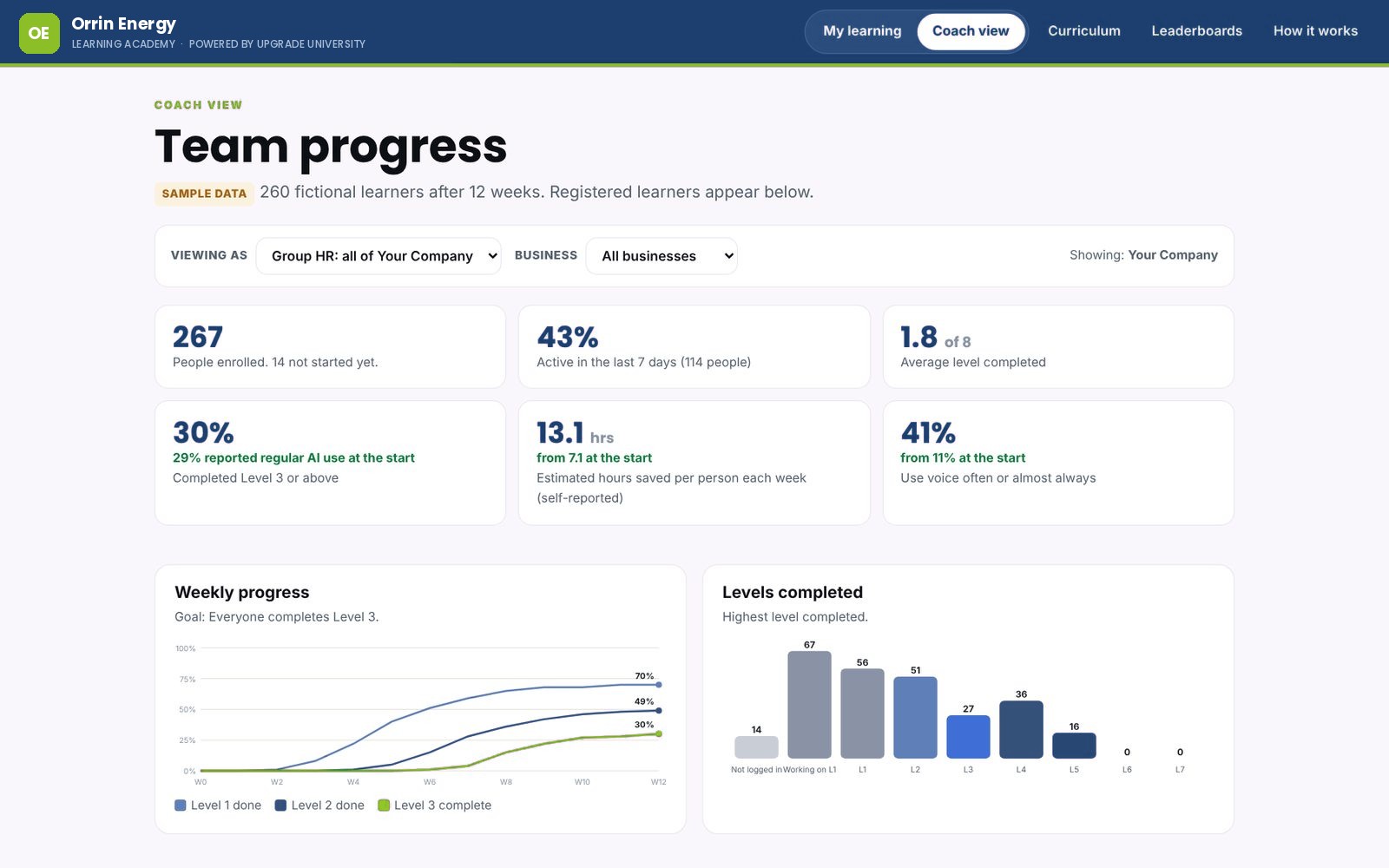
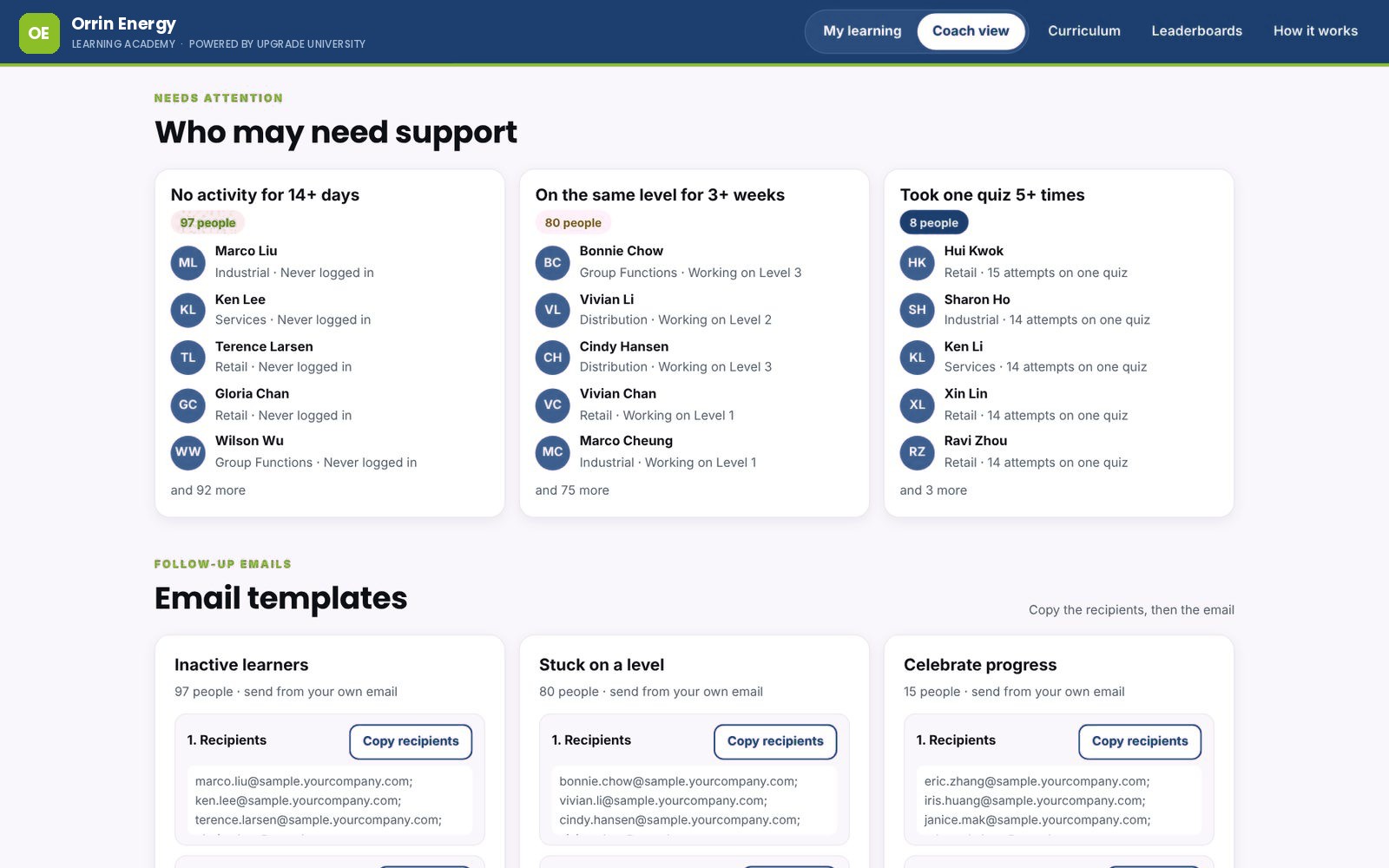
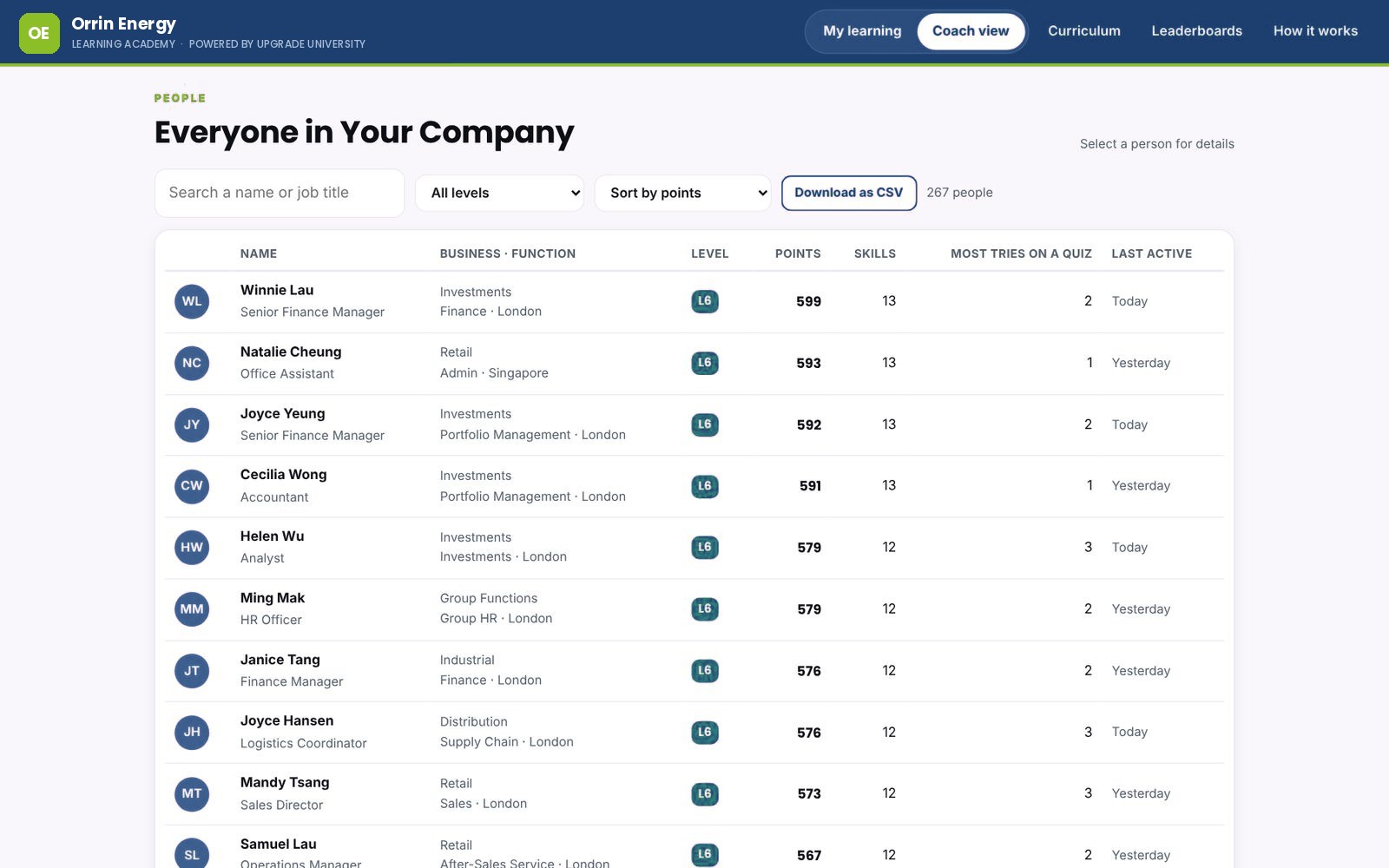
HR, managers and coaches start with the whole company and zoom into a business, a function or a single pod. They see who is active, where people are on the levels and how things move week by week. The view flags who may need a nudge, with ready-to-send emails, and lists every learner with their skills and last activity.

Coach view overview with headline numbers, weekly progress and levels completed, on sample data
The overview: activity, levels and weekly progress.
Who may need support, and follow-up email templates
Who may need support, with emails ready to send.
A table of every learner with level, points, skills and last active
Every learner, searchable and sortable.
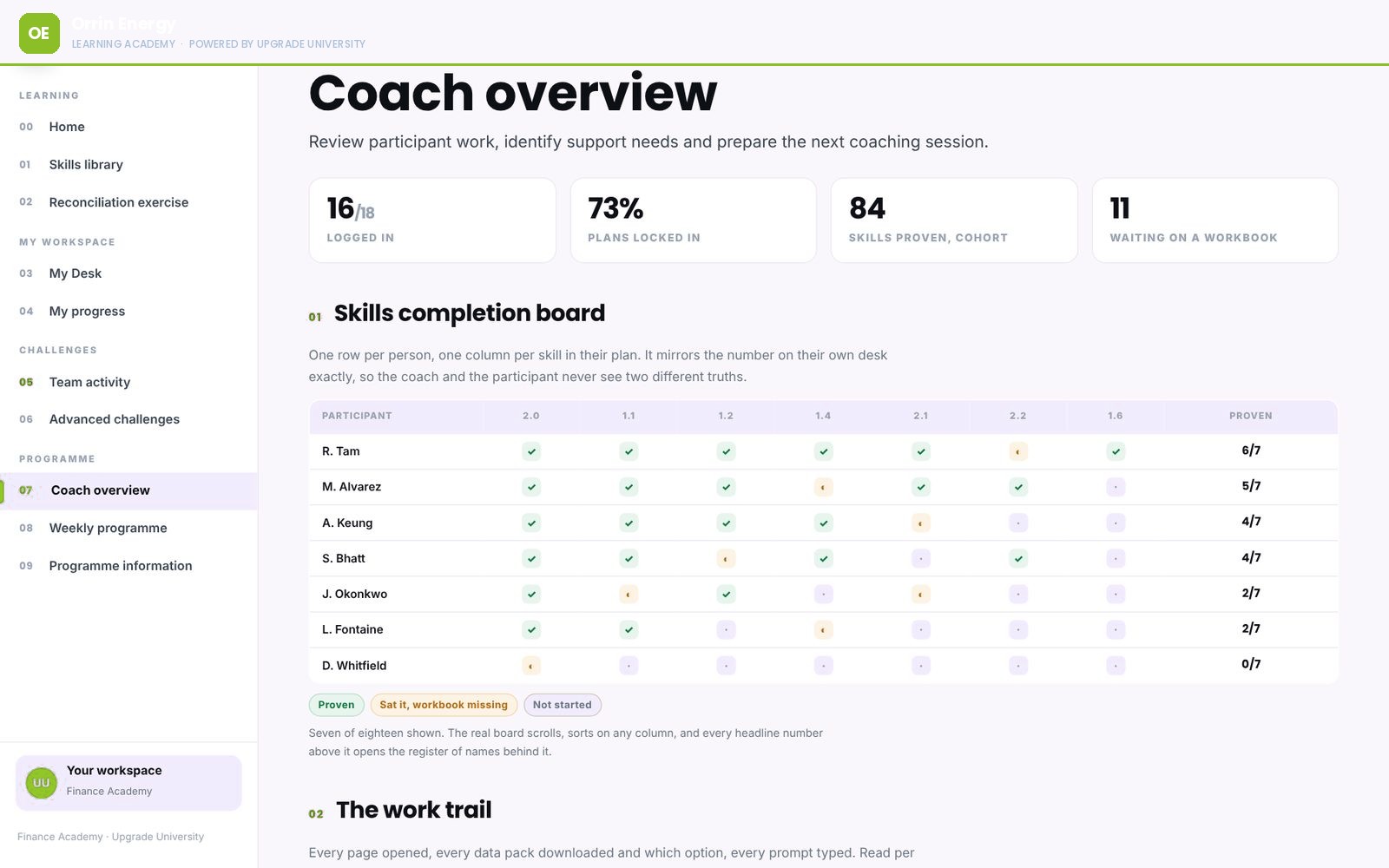
A skills completion board with one row per person and one column per skill
A skills board: one row per person, one column per skill.

All people and numbers in these screens are sample data.

Set up for you

Built for each organisation.

We configure Upgrade University for each client, so it speaks your language and fits the way your people already work.

Your competency frameworkThe levels and skills map to your own framework and the roles in it.
Your rubricCapstones are scored against the criteria you agree with us, safety included.
Your AI toolsCopilot, or the other tools your people are cleared to use, with your data rules on every step.
Your functionsScenarios and skills for finance, HR, sales, marketing, operations and leadership.
Any time zoneSelf-paced with nothing to schedule, so teams in different offices move together.
Your lookYour logo and colours on the platform your people log in to.
Better together

Pairs with our workshops and champion programmes

Most teams start with a workshop or a leadership session, then carry on in Upgrade University. Your AI champions use the coach view to support their teams, and we keep the content current as the tools change.

See our AI training
One programme on the platform

Fresh Grad Upgrade University

Our programme for fresh graduates, run on Upgrade University. It trains graduates to direct and check AI work: helping build AI agents, supervising workflows and deciding what goes out. Graduates can apply, and employers can ask to meet them.

Visit Fresh Grad Upgrade University

See it with your own team in mind.

A 20-minute walkthrough on a call: we show you the learner side and the coach view, and talk through how we'd set it up for your organisation.

Book a walkthrough